Do Not Migrate Twice. Vishing Is Coming for Your Passkeys.

The next great cyberattack may not start with malware, a zero day, or someone furiously typing commands into a terminal. It may start with your phone ringing. “Hi, this is IT. We are completing the company’s mandatory passkey migration. Microsoft is changing its authentication requirements and your account still needs to be updated. I can walk you through it. It will only take two minutes.”
That call is no longer hypothetical. Attackers are already using almost exactly this script. And they are not trying to steal your old MFA code anymore. They are after something much more valuable. They want to become your new passkey.
Vishing Has Become a Primary Way into the Enterprise
Vishing is voice phishing. An attacker calls an employee, help desk worker, administrator, executive, or contractor and impersonates someone the victim has a reason to trust. The psychology is simple. The technology around it has become extraordinarily sophisticated.
The caller may know the employee’s name, department, manager, email address, phone number, software environment, and current company initiatives. Much of that information can be collected from public sources, breached databases, LinkedIn, corporate websites, and previous compromises.
The attacker manufactures urgency. Your account needs to be updated. Your access is about to expire. Security detected suspicious activity. The company is moving to passkeys. IT needs to fix something now.
Caller ID can be spoofed. VoIP makes calls inexpensive and easy to originate at scale. Hybrid vishing can begin with an email or text and then move the victim onto the phone. Reverse vishing is even cleverer because the attacker gets the victim to call a fake support number, making the victim feel that they initiated a legitimate support interaction. And AI is steadily removing the remaining friction. Voice cloning, automated reconnaissance, generated scripts, personalized pretexts, and automated call infrastructure mean that the marginal cost of attempting another social engineering attack keeps falling.
CrowdStrike reported a 442 percent increase in vishing between the first and second halves of 2024. Mandiant’s 2026 research is even more sobering. Based on more than 500,000 hours of incident response work, highly interactive voice phishing accounted for 11 percent of identified initial infection vectors in 2025, making it the second most commonly observed vector. Traditional email phishing was only 6 percent.
For cloud related compromises, the phone has become particularly dangerous. The reason is obvious: Cloud security ultimately depends on identity. If I can convince your identity system that I am you, I do not need to hack your firewall. I log in.
Why Humans Keep Losing This Fight
One of the strongest observations in the Security Boulevard analysis is that the qualities that make someone good at customer service or IT support are often the exact qualities an attacker weaponizes. Good employees want to help. They respond to urgency. They recognize authority. They make judgment calls. They occasionally bend a process because the person on the phone sounds legitimate and the problem sounds important. An attacker may say the CEO is boarding a plane. Payroll is locked out. A customer system is down. An executive needs access restored before a meeting. A human being hears context and emotion. The attacker sees an authentication interface.
That is why training can reduce vishing but probably cannot eliminate it. You are asking thousands of employees to make perfect judgments, under pressure, against adversaries whose entire profession is manipulating those judgments. The Security Boulevard analysis puts the problem elegantly: empathy itself can become part of the attack surface.
This is also why the economics of vishing are becoming so attractive. An attacker does not need every employee to fail. They need one.
How Modern Vishing Actually Works
The latest attacks increasingly combine the human caller with a live technical operator and a sophisticated phishing platform. A typical enterprise attack now looks like this:
- The attackers research the employee and organization. They learn the company’s identity provider, email system, naming conventions, executives, IT terminology, and current security initiatives.
- The victim receives a phone call, often on a personal mobile phone. Google Threat Intelligence has specifically observed callers targeting personal cellular numbers to move employees outside normal corporate support and monitoring channels.
- The caller impersonates internal IT or the help desk. Increasingly, the pretext is a mandatory passkey migration or required MFA update.
- The employee is directed to a convincing site customized with the company’s branding. Attackers have used domains incorporating words such as “passkey,” “enrollment,” and similar terminology to make the site appear consistent with the story being told on the phone.
- The victim enters credentials into the fake portal. The attacker immediately enters those credentials into the legitimate Microsoft or SSO login.
- The legitimate service requests the employee’s current authentication factor. The operator running the phishing kit sees what Microsoft requests and changes the fake page accordingly.
- If Microsoft requests an SMS code, the fake page asks for it. If it requests a TOTP code, the fake site asks for that. If Microsoft sends an Authenticator approval request, the caller tells the employee what to approve. Okta found the phishing platform adjusting the victim’s experience in essentially real time using an operator controlled panel.
- The attacker is now authenticated to the legitimate Microsoft account.
- Instead of merely stealing data and leaving, the attacker opens the victim’s security settings and registers a new authenticator or passkey controlled by the attacker. Google Threat Intelligence has documented the registration of attacker controlled authentication devices following this type of compromise.
- The victim may continue seeing fake passkey enrollment screens while the attacker performs the real enrollment elsewhere. Okta documented one kit that even displayed a fake twelve word recovery sequence to occupy the victim while the attacker completed the actual registration.
Think about what just happened. The attacker did not crack a passkey. They did not steal the private key from a legitimate FIDO authenticator. They did something arguably more clever. They convinced the organization to trust their passkey.
The Passkey Was Never Cracked. The Trust Model Was.
This distinction matters. FIDO2 and WebAuthn cryptography remain extremely strong. A properly implemented passkey authenticating against the relying party for which it was created provides excellent resistance against traditional credential phishing. But attackers increasingly understand that attacking cryptography is unnecessary. Attack the ceremony that creates the credential instead. Authentication security does not begin when someone presents a passkey.
It begins with the question: Who was allowed to create that passkey? And how did the system establish that person’s identity before allowing enrollment? If a user can authenticate with an older, phishable method and then add a new passkey, the attacker simply attacks the older method once. The reward is enormous.
Instead of stealing a six digit code that expires in thirty seconds, the attacker may be able to register a durable cryptographic credential that the organization subsequently treats as highly trusted. The attack has evolved from credential theft into trust insertion. That is a far more dangerous problem.
Microsoft Is About to Make the Passkey Pretext Even More Believable
This is where the timing gets uncomfortable. Microsoft has announced a major authentication transition for Entra. Beginning September 1, 2026, users enabled for Microsoft managed SMS or voice authentication are scheduled to be automatically enabled for passkeys and nudged to register them.
Beginning February 1, 2027, Microsoft provided SMS and voice authentication delivery will be retired. Microsoft says organizations should have users on phishing resistant methods such as passkeys, Windows Hello, or FIDO2 before that date. If SMS or voice is the only available method and a customer has not configured another supported path, passkey registration can become blocking.
Microsoft is trying to improve security. Attackers see something else. They see the greatest passkey social engineering pretext ever created. Millions of employees are about to hear legitimate communications telling them that authentication is changing. Employees will receive genuine registration prompts. IT departments will really be talking about passkeys. Companies will really be migrating users. And attackers can simply insert themselves into the conversation. “Hi. This is IT. We need to finish your Microsoft passkey migration.” That story will sound completely plausible because, in many organizations, it will also be true.
Okta has already observed attackers exploiting precisely this well intentioned security transition. Since April 2026, O UNC 066 has operated a phishing kit aimed at Microsoft 365 passkey enrollment. The attacker calls users, convinces them they need to register a new passkey, and simultaneously attempts to register an attacker controlled passkey against the account.
Google Threat Intelligence has separately documented attackers impersonating IT personnel and explicitly citing mandatory passkey migration as the reason employees must follow their instructions. The migration has barely begun. The attackers are already waiting.
Why Vishing Is Likely to Grow Much Faster
Nobody can responsibly predict an exact growth percentage for vishing over the next several years. But the economic direction is difficult to miss. The cost of targeting another employee is approaching zero. AI can assist with reconnaissance and create personalized call scripts. Synthetic voices can make impersonation more convincing. VoIP infrastructure makes calls inexpensive. Credential harvesting platforms can synchronize what appears on the victim’s screen with what the caller is saying. Criminal groups can divide the operation among researchers, callers, phishing infrastructure operators, access brokers, and data theft specialists. Google has observed high volume campaigns in which callers are effectively hired to conduct the social component while technical infrastructure performs the credential interception behind them.
Meanwhile, enterprise authentication is becoming increasingly concentrated around a relatively small number of cloud identity providers. That creates extraordinary leverage. Get one enterprise SSO identity and the attacker may obtain access to email, SharePoint, OneDrive, Salesforce, Zendesk, Slack, financial systems, development environments, and other SaaS services depending on the permissions of the victim. Google has documented attackers moving from the initial SSO compromise into cloud applications and then programmatically extracting data using Microsoft Graph, PowerShell, Python, and other legitimate interfaces.
The attacker is no longer breaking into individual applications. They are taking over the identity that all of those applications trust. Vishing is therefore not merely another form of phishing. It has become an identity acquisition system.
Passkeys Are Better Than SMS. That Does Not Make Them the Endgame.
Microsoft is correct about one important thing. Organizations should leave SMS, voice codes, and other phishable authentication behind. Passkeys are substantially better. But “better than SMS” is not the security architecture I would want to defend to a board after a breach. And not all passkeys are architecturally identical.
Microsoft itself distinguishes between device bound passkeys and synced passkeys. A device bound passkey remains on one physical authenticator. A synced passkey can be encrypted and stored through a cloud credential provider so that other authenticated devices can use it. Microsoft also notes that synced passkeys do not support authenticator attestation, while device bound authenticators can support a policy in which the organization verifies the authenticator model during registration.That distinction matters enormously in the enterprise.
Convenience asks: “How easily can this credential follow the employee?” Security should ask: “How narrowly can I define exactly what physical authenticator this organization will trust?” Those are not the same question.
The Better Architecture Is Biometric Assured Identity
This is where Token takes a fundamentally different approach. Token devices are dedicated authentication devices. They are not your employee’s everyday phone. They are not a password manager.
They are not an application living beside hundreds of other applications. They are not a general purpose consumer device whose primary design objective is convenience. Their job is identity.
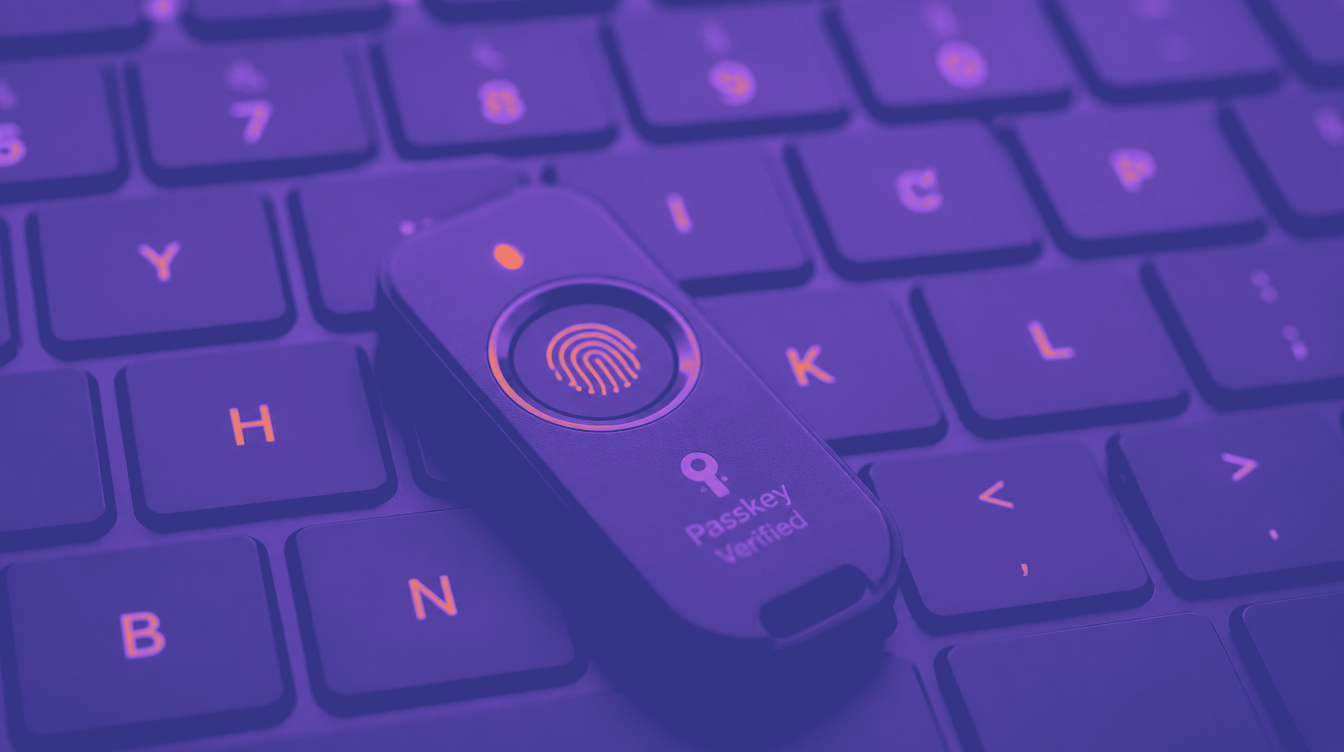
Token combines dedicated FIDO2 cryptography, a physical authenticator, on device fingerprint verification, domain specific credentials, and proximity to the system being accessed. The credential stays with the dedicated hardware rather than becoming another piece of authentication state distributed through the user’s general computing ecosystem.
The fingerprint is matched on the Token device. The private credential stays on the Token device. Authentication requires possession of the authorized Token device and biometric verification by its legitimate user. There is no six digit code for the caller to request, no push notification for someone to talk the employee into approving, and no authentication app for the attacker to guide the victim through over the phone. There is no ordinary synced passkey that the enterprise has decided to trust merely because it exists inside the employee’s consumer credential ecosystem. That is biometric assured identity.
Microsoft Already Gives Enterprises the Control Needed to Do This
This is the part CISOs should pay particular attention to. Microsoft Entra and most major SSOs and web applications allows administrators to create device bound passkey profiles and target specific FIDO2 authenticator models using their Authenticator Attestation GUID, or AAGUID. Microsoft documentation specifically states that administrators can create an allow policy containing only selected AAGUIDs. Entra can also enforce attestation during registration so the organization can verify that the authenticator is the expected make and model.
That means the enterprise does not have to say: “Any passkey is good enough.” It can say: “Only the dedicated authenticator models we have approved can become credentials in this organization.” That changes the game.
A Token deployment can be architected around that model. Permit the approved Token authenticator models. Require device bound credentials. Require biometric verification. Do not permit consumer synced passkeys for sensitive enterprise access. Remove weaker fallback authentication. Protect credential enrollment and recovery with an equally strong identity process.
Now imagine our vishing attacker calling again. “Hi, this is IT. We need you to register your new passkey.” The attacker can create a fake website. They can clone Microsoft’s graphics, spoof a telephone number, know the employee’s manager, generate a convincing voice, keep the victim talking for twenty minutes, but the attacker controlled authenticator is not an approved Token device.
The SSO or application refuses its registration. The attacker cannot remotely manufacture the employee’s fingerprint on the registered hardware. The employee cannot read a Token authentication secret over the phone because there is no secret to read. The attacker cannot convince the victim to send them the private key because the private key does not leave the authenticator. The social engineering conversation has nowhere useful to go.
There Is One Configuration Rule You Cannot Ignore
Dedicated biometric hardware only provides this protection if the enterprise actually requires it.
If Token is deployed as one optional authentication method while the help desk can simply disable it and fall back to SMS, passwords, email recovery, or unrestricted passkey enrollment, the attacker will attack the fallback. Security is always defined by the weakest permitted recovery path. So biometric assured identity should not be treated as another factor added to a collection of factors.
It should become the identity policy. For sensitive enterprise access, only approved hardware should be accepted. Credential enrollment should require strong existing identity assurance. Recovery should never turn a telephone conversation into authorization to replace the user’s identity credential. And no help desk agent should be able to convert “I lost my authenticator” into an attacker controlled credential merely because the caller sounds convincing. This is how you actually slam the door shut.
Do Not Migrate Twice
Enterprises are about to spend enormous time and money changing authentication. Users will be trained. help desks will be retrained. Policies will change. Applications will be tested. Passkeys will be registered. Recovery procedures will be rewritten. Executives will declare the password problem solved. And attackers are already building their next campaign around that exact transition.
There is a very simple question every CISO should ask before beginning a mass passkey migration: If I already know that attackers are targeting passkey enrollment, why am I deploying the broadest possible passkey architecture first? Why not go directly to dedicated, hardware bound, biometric assured identity? Microsoft’s own architecture supports device bound FIDO2 authenticators, specific authenticator allow policies, and attestation.
The enterprise can therefore make a choice. Move from passwords and legacy MFA into a large ecosystem of consumer passkeys, synced credentials, different devices, recovery processes, and varying levels of assurance. Or move directly to a controlled enterprise authenticator whose purpose is proving one thing: The person requesting access is the person the organization originally authorized. Token was designed around that second model.
The Bad Guys Have Already Picked Their Next Target
For years, attackers came for passwords. Then they came for MFA codes. Then they learned to manipulate authenticator apps. Now organizations are moving to passkeys. So what are the attackers doing? They are moving to passkeys too. Not because passkey cryptography is weak; because the humans enrolling them are still human.
That is the lesson vishing keeps teaching us. You cannot train every employee never to be fooled, guarantee every help desk employee will recognize every convincing caller, stop AI from making the calls cheaper and more believable, but you can build an authentication architecture where convincing the human does not give the attacker a usable credential.
That is the difference between a passkey and biometric assured identity implemented with dedicated enterprise hardware. Microsoft is accelerating the move away from old authentication. Good. Do not waste the opportunity by migrating to something you may have to replace again. Skip the intermediate step. Move to dedicated biometric hardware. Bind identity to the authorized physical authenticator. Bind the authenticator to the legitimate user. Bind the credential to the legitimate service. Lock down enrollment so an attacker cannot add their own device. Then let the phone ring. They can talk all they want. No Token. No identity. No entry.