Hackers Do Not Break Passkeys. They Just Trick the User.
Hackers are already adapting the same social engineering playbook that defeats MFA and authenticator apps. Soon, Phishing as a Service kits will handle the technical details for them. Token removes the manipulation paths that phone based passkeys leave open.
Passkeys are an important advancement in authentication. They replace passwords with public key cryptography, resist conventional phishing, and eliminate the need to type reusable secrets into websites. Apple, Google, Microsoft, and the FIDO Alliance are right to promote passkeys as a significant improvement over passwords, SMS codes, authenticator codes, and push notifications.
However, a passkey is a cryptographic method, not a complete identity architecture. When a passkey is stored on a personal phone or synchronized through a consumer cloud account, its security depends on far more than the underlying cryptography. It depends on the phone, its operating system, its screen lock, the cloud account behind it, the credential manager, the applications installed on it, the browser, the recovery process, the enrollment process, and the procedures used to authorize additional devices or credentials.
Hackers do not need to break the mathematics behind a passkey. They manipulate the employee into enrolling an attacker controlled passkey, authorizing another device, recovering a cloud account, approving a malicious application, or authenticating a session initiated by the attacker. They compromise the software that locates, decrypts, approves, and uses the credential. When that is too difficult, they simply steal the authenticated session after the passkey has completed its job.
This is the same game plan criminals already use against MFA and authenticator apps. The technology changes, but the attack remains centered on the person. The attacker creates urgency, impersonates technical support, presents a convincing screen, and guides the employee through a process that appears legitimate. The user believes they are securing their account while they are actually granting access to the attacker.
Passkeys make these attacks more technically complicated, but complexity has never stopped the cybercrime industry for long. Phishing as a Service transformed sophisticated real time MFA relay attacks into subscription products that almost anyone can use. Passkey focused kits will increasingly automate fake enrollment pages, malicious application requests, cross device authentication, cloud recovery workflows, and attacker controlled passkey registration. The criminal will not need to understand FIDO2, WebAuthn, credential providers, origin validation, or cloud synchronization. The kit will handle the technology while the attacker concentrates on manipulating the employee.
Token Changes That Equation
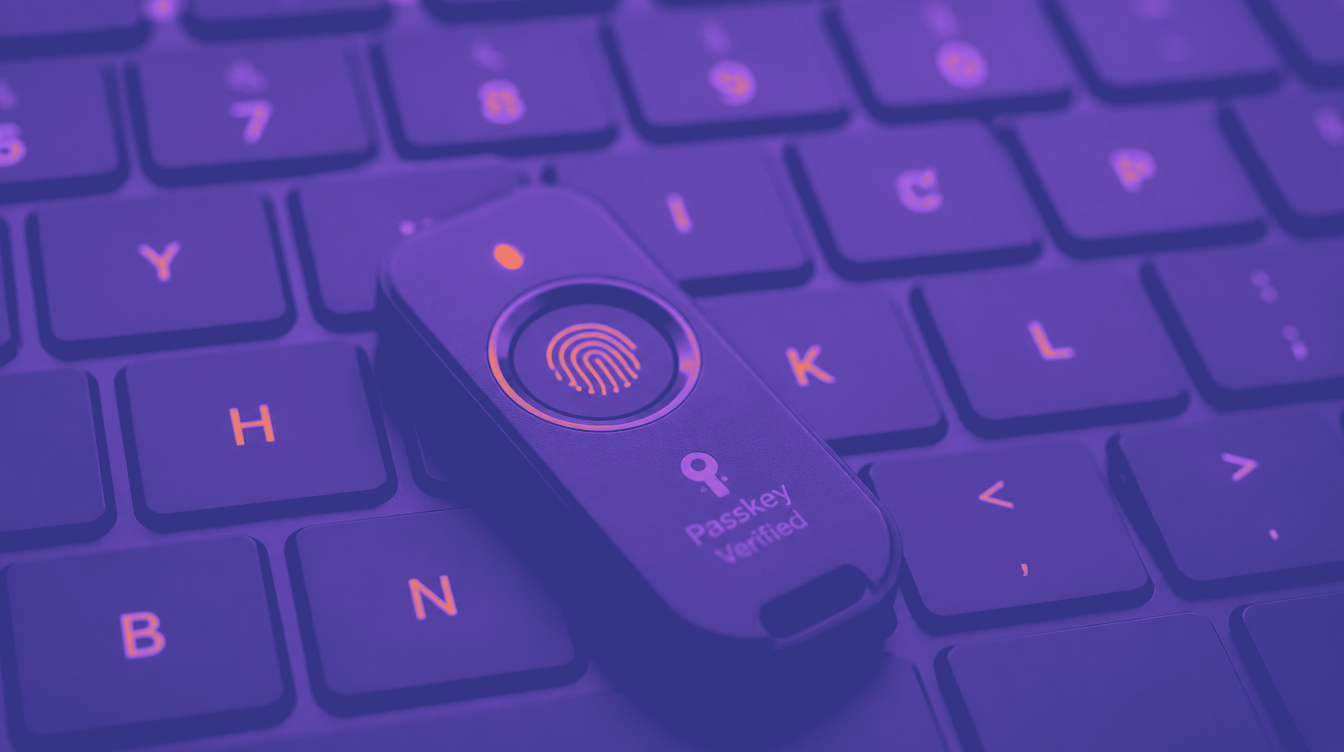
TokenCore Wearable, TokenCore Node, and TokenCore Portable use the same strong FIDO2 and WebAuthn foundation while adding dedicated hardware, a live fingerprint, proximity to the endpoint, and cryptographic verification of the legitimate service. The employee must possess the registered Token device, be physically near the endpoint, and present the enrolled fingerprint before authentication occurs.
That is the difference between confirming that a credential was used and proving which human used it.
The Phone Is Doing Too Many Jobs
A personal phone is a remarkable convenience device, but it is also a general purpose computer connected to cellular networks, WiFi, Bluetooth, email, text messaging, social media, cloud storage, payment systems, password managers, browsers, and app stores. It may contain hundreds of applications developed by dozens of companies.
The same phone that stores a passkey may receive the account recovery message, display the verification code, provide access to the employee’s email, approve the cloud account login, and store the information needed to reset the account. This concentrates an extraordinary amount of trust in one consumer device.
Hackers exploit that concentration of trust. They attack the email account, phone number, device passcode, cloud account, browser, password manager, installed applications, recovery contacts, credential enrollment process, and active sessions surrounding the passkey.
The enterprise may not own the phone and may have limited visibility into its condition. Security administrators may not know whether the operating system is current, whether the device has been rooted or jailbroken, which applications are installed, whether the passcode has been shared, or whether malware is present. Even when mobile device management is used, the enterprise still depends on a complex consumer operating system and cloud ecosystem to protect a critical corporate credential.
Token removes the credential from that environment. A Token device does not contain email, text messages, social media, a web browser, a cellular connection, an app store, or unrelated consumer applications. Its purpose is deliberately narrow. It verifies the fingerprint, confirms proximity, validates the destination, and performs the cryptographic authentication inside protected hardware.
The Token device has no screen that malicious software can use to display a false warning or deceptive approval message. It has no general purpose application environment where an attacker can install a fake VPN client, password manager, game, utility, or security update. Its only meaningful function is biometric and cryptographic identity assurance.
How Hackers Execute an Apple Account Takeover
Apple protects iCloud Keychain passkeys with end to end encryption. Apple does not have access to the unencrypted private credentials, and stealing an Apple Account password alone does not automatically expose every passkey stored in the account. Hackers therefore execute a broader account and device takeover.
They begin by phishing the Apple Account password, stealing it through malware, obtaining it from reused credentials, or convincing the victim to disclose it during a fraudulent support interaction. They then attack the remaining parts of Apple’s trust and recovery process. They intercept a verification code, compromise an existing trusted device, take control of the trusted phone number, or obtain the device passcode from a stolen iPhone.
Criminal groups watch victims enter their phone passcodes in public before stealing the device. Once they possess both the iPhone and its passcode, they attempt to access saved credentials, alter account settings, manipulate trusted devices, and change recovery information. Apple introduced Stolen Device Protection specifically because criminals already execute this attack.
Hackers also target trusted phone numbers through SIM swapping. They impersonate the victim to the mobile carrier, transfer the telephone number to a SIM they control, and begin receiving calls and security messages intended for the victim. Apple applies protections beyond possession of the telephone number, but control of that number gives the attacker an important part of the verification and recovery chain.
Attackers obtain recovery keys from photographs, notes, compromised email accounts, cloud storage, and password managers. They manipulate recovery contacts into producing account recovery codes. A recovery key or recovery contact code may not independently unlock the account, but criminals combine these items with stolen passwords, trusted numbers, device passcodes, and compromised devices until they satisfy the recovery process.
Once the attacker successfully authorizes another Apple device, that device becomes part of the trusted ecosystem. Synchronized credentials may then become available according to Apple’s encryption and recovery controls.
The passkey cryptography is never broken. The attacker takes over the trusted account and device environment surrounding it.
Token has no equivalent consumer cloud takeover path. Compromising the employee’s Apple Account does not cause the Token credential to appear on an attacker’s device. The private credential remains inside the assigned Token hardware, and authentication still requires the enrolled fingerprint and physical proximity.
How Hackers Attack Google Password Manager & Synchronized Passkeys
Google Password Manager allows passkeys to follow the user across devices. A passkey created on an Android phone or through Chrome can be synchronized through the Google Account and made available in Chrome on Windows, macOS, Linux, and ChromeOS.
Google protects synchronized passkeys with encryption and normally requires more than the Google Account password to activate them in a new environment. The user may also need the Android screen lock or a Google Password Manager PIN to decrypt and use the synchronized credentials.
Hackers attack every part of that chain. They steal the Google Account password through phishing, malware, password reuse, browser credential theft, or fraudulent support interactions. They capture the Google Password Manager PIN through screen recording malware, malicious browser extensions, counterfeit password manager prompts, or social engineering. They obtain the Android screen lock by observing the victim, recording screen interactions, compromising the phone, or persuading the employee to disclose it.
The attacker then signs into Chrome or Google Password Manager from a system under criminal control and works through the device activation process using the information already collected.
Malware also attacks the software responsible for synchronizing, decrypting, and using the passkeys. Researchers have demonstrated attacks against Google Password Manager passkeys used through Chrome on Windows. These attacks do not solve the cryptography. They manipulate the local software and trust mechanisms that retrieve, verify, decrypt, and present the credential.
The attacker first infects the computer through a malicious download, browser extension, counterfeit update, compromised application, or another malware delivery method. Once inside the system, the malware targets the passkey infrastructure. It manipulates verification information, initiates authentication operations, or attempts to extract secrets used to protect synchronized credentials. The passkey algorithm remains mathematically secure while the attacker compromises the software operating it.
Token does not synchronize its private credential through a Google Account or automatically place it inside Chrome on another computer. The employee moves between workstations by bringing the same TokenCore Wearable, TokenCore Node, or TokenCore Portable and presenting the registered fingerprint. The credential stays inside the dedicated hardware.
How Hackers Exploit Microsoft & Windows Cross Device Passkeys
Microsoft supports several forms of passwordless authentication. A passkey may be protected locally through Windows Hello, stored in Microsoft Authenticator on a phone, retained on a dedicated FIDO2 security key, or synchronized through a cloud credential provider.
Windows and Microsoft Entra also support cross device authentication. The employee begins logging in on a Windows computer, chooses to use a passkey from another device, scans a QR code with a phone, and approves the authentication from that phone.
Hackers attack the components surrounding that process. They compromise the Windows endpoint, manipulate the browser, install a malicious application, steal control of the phone, exploit the credential provider, or persuade the employee to approve a request initiated by the attacker.
The process depends on a long chain of trust. Windows must be trustworthy. The browser must display the correct request. Bluetooth must connect to the intended device. The phone operating system must correctly identify the requesting application or website. Microsoft Authenticator or another credential provider must validate the relying party. The screen lock must still represent the authorized employee rather than another person who knows the phone PIN.
Hackers do not need every part of the chain to fail. They need only one useful weakness. Synchronized passkeys also give the enterprise less certainty about the exact hardware protecting the credential. A credential that follows the employee through a cloud account can become available on multiple authorized devices. That is convenient for the user, but it expands the identity perimeter and creates additional enrollment, recovery, and synchronization events for attackers to target.
Token gives the enterprise a dedicated and consistent identity device across supported Windows, macOS, and mobile environments. The organization issues the Token, registers it to the employee, manages it, revokes it when necessary, and requires it for selected applications or sensitive actions. The biometric template and private credentials stay inside the Token device rather than moving through a personal cloud account.
How Hackers Execute A Cross-device Passkey Attack
Apple, Google, and Microsoft support cross device authentication because employees often store a passkey on a phone while logging into a computer. The computer displays a QR code, the employee scans it with the phone, Bluetooth helps confirm proximity, and the employee approves the request using a fingerprint, face scan, phone PIN, or screen pattern.
Hackers manipulate what the employee believes they are authenticating. They send the employee to a fraudulent support page, counterfeit VPN portal, fake security application, or malicious enrollment page. At the same time, the attacker begins a real login against the legitimate corporate service. The employee believes the QR code or phone prompt relates to the system in front of them, but the surrounding workflow is actually connected to an attacker initiated process.
Properly implemented passkeys bind authentication to the legitimate service and prevent the simple relay attacks that defeat SMS codes and authenticator apps. Attackers therefore combine social engineering with compromised browsers, malicious applications, implementation weaknesses, fraudulent enrollment, and session theft.
They do not always relay the original passkey authentication. They guide the employee into registering another credential, authorizing another device, approving an application, or completing an authentication event whose true purpose has been concealed.
Token shortens this chain dramatically. The employee does not scan a QR code, select a credential provider, choose a cloud account, or respond to an abstract approval request on a general purpose phone. The employee presents a fingerprint directly to the dedicated Token device beside the intended endpoint.
How Hackers Execute A Fake Application Passkey Attack
A random malicious application should not normally be able to request a passkey belonging to an unrelated bank, employer, or cloud service. Modern platforms use application identities, signing certificates, website associations, and relying party information to determine whether an application is authorized to request a credential. Hackers therefore create malicious applications that imitate trusted enterprise software and exploit weaknesses in the software that validates those requests.
The attack begins with a convincing message telling the employee to install a new corporate VPN application, security update, password manager, payroll tool, collaboration application, or mandatory authentication upgrade. The fake application uses the company’s branding, colors, language, and login screens. It is distributed through a fraudulent support site, malicious link, unofficial application marketplace, compromised website, text message, or direct download.
Once installed, the application initiates a passkey request connected to the real corporate service. The phone’s credential provider is supposed to confirm that the application is genuinely authorized to represent that service. When the provider, application association, or origin validation process contains a weakness, the malicious application presents a request that appears legitimate.
The employee then sees a genuine operating system fingerprint or face recognition prompt. This is what makes the attack persuasive. The biometric interface is real even though the application requesting authentication is malicious.
The employee presents a fingerprint or face. The legitimate passkey signs a fresh authentication challenge. The private key may never leave the credential manager, but the resulting authentication response passes through the malicious workflow and is used by the attacker. The criminal does not need to steal the private key. The criminal tricks the phone into using the legitimate key for the criminal.
The AliasVault Android vulnerability demonstrated this category of attack. Certain versions did not completely validate the identity, origin, and relying party information of applications requesting passkeys. Under specific local conditions, a malicious application could seek a passkey response for a website it was not authorized to represent. The user still had to approve the request, but that approval appeared through the genuine biometric interface.
This does not mean that every Android passkey is broken. It demonstrates that passkey security depends on the software deciding which application is permitted to request and use the credential.
Android also permits third party password managers to operate as credential providers. Each provider becomes part of the authentication supply chain. Hackers target weak, outdated, or poorly implemented providers because the passkey can remain cryptographically strong while the software deciding who may use it becomes the weak point.
Token does not have this application attack surface. It contains no app store, browser, email, messaging service, general purpose operating environment, or third party password manager. Hackers cannot install a fake VPN application, malicious password manager, counterfeit security tool, or fraudulent software update onto the Token device.
Token also has no screen on which malicious software can imitate a legitimate approval request. The employee does not respond to a message produced by an application. The employee presents a fingerprint to dedicated hardware performing one narrowly defined identity function.
How Hackers Execute A Malicious Passkey Enrollment Attack
Hackers often avoid attacking an existing passkey because it is easier to enroll a new passkey they already control. They call the employee while impersonating the help desk, security team, Microsoft support, Google support, or the company’s identity provider. They claim that the employee’s passkey has expired, a security upgrade is required, suspicious activity was detected, or the account must be reverified immediately.
The attacker directs the employee to a convincing enrollment page or guides the employee through an actual Microsoft, Google, or enterprise credential enrollment process. The criminal coordinates the process in real time and tells the employee which prompts to approve.
The employee believes they are repairing or securing their account. In reality, they are authorizing a credential controlled by the attacker. The resulting passkey is genuine. It uses valid public key cryptography. It may be completely standards compliant and resistant to traditional phishing. It is simply associated with the wrong person.
Attackers already use this method against Microsoft Entra passkey enrollment. They do not defeat FIDO2. They manipulate the employee and the enrollment process so the organization issues the attacker a legitimate credential.
This is the attack that exposes the central limitation of phone based passkeys. A passkey can prove that a particular credential was used, but it does not independently prove that the correct human originally enrolled or authorized that credential.
Token provides a physical root of trust for these sensitive identity lifecycle events. The organization can require the existing Token device and the employee’s registered fingerprint before authorizing a replacement credential or additional Token. The legitimate device must be physically present, the employee must provide the biometric, the request must originate from the approved service, and enterprise policy must permit the change. A remote attacker cannot reproduce that chain through a phone call, fake application, or guided enrollment session.
How Hackers Execute Cloud Recovery & Additional Device Enrollment Attacks
Cloud synchronization gives employees access to their passkeys across multiple devices. It also creates a process through which new devices become trusted. Hackers target that process because gaining approval for an additional device can be more useful than stealing an existing credential. They compromise the cloud account, obtain verification information, manipulate a recovery contact, take control of a trusted telephone number, or convince the employee to authorize a device presented as a replacement phone, security update, or company managed endpoint.
Once the attacker controlled device becomes trusted, synchronized credentials may become available according to the platform’s security model. The attacker has not copied the passkey through brute force. The cloud platform has legitimately delivered or activated it on what the platform now believes is an authorized device.
Attackers also abuse credential sharing and delegated access features. Consumer ecosystems allow people to share passwords and passkeys with family members, trusted contacts, or groups. These features are useful for consumers, but they create another management interface criminals target after gaining control of an account or device.
Token credentials do not follow the employee through a consumer cloud account, and they cannot be shared through a family group or password sharing interface. The enterprise controls issuance, enrollment, revocation, and replacement. Giving another person physical possession of the Token still does not provide access because the enrolled fingerprint remains required.
How Hackers Execute Session Theft After Passkey Authentication
Hackers also wait until after the passkey completes a legitimate authentication. When the employee signs in, the website or application issues a session token so the employee does not need to authenticate again for every action. Malware on the phone or computer steals that session token from the browser, application storage, memory, or another part of the endpoint environment.
The attacker then replays the stolen session from another system. The service sees what appears to be an already authenticated user and may not request the passkey again.
In this attack, the passkey performs exactly as designed. The attacker steals the access granted after authentication.
Hackers execute session theft through information stealing malware, malicious browser extensions, compromised applications, remote access tools, browser injection, and endpoint exploitation. They do not need to extract the private passkey because the authenticated session is often enough.
Token does not eliminate the need for endpoint protection, short session lifetimes, device posture controls, continuous authorization, token protection, and rapid session revocation. No authenticator can make an already compromised endpoint harmless after access has been granted.
Token does remove the personal phone as the location where the enterprise authentication credential resides. A malicious phone application cannot become the Token credential provider, replace its fingerprint process, manipulate its display, or install itself inside the Token hardware.
Phishing As A Service Is coming For Passkeys
The first generations of phishing kits focused on collecting usernames and passwords. When enterprises adopted SMS codes and authenticator apps, the kits evolved to relay those codes and approval requests in real time. Attackers no longer needed deep technical expertise because commercial services provided the infrastructure, templates, dashboards, hosting, and automation. The same evolution is taking place around passkeys.
Passkey focused Phishing as a Service platforms will package the technical steps needed to manipulate enrollment, trigger cross device authentication, impersonate support, register attacker controlled credentials, exploit malicious applications, and coordinate cloud recovery. The criminal operator will see a simple dashboard while the service handles the complex interaction between the legitimate site, the victim’s phone, the enrollment process, and the attacker controlled device.
Artificial intelligence will accelerate this shift. Attackers can already generate convincing support conversations, branded applications, cloned portals, localized messages, and voice impersonations at enormous scale. The passkey may resist the fake website, but the employee remains vulnerable to a convincing person who guides them through a legitimate enrollment or recovery process for the attacker’s benefit.
The attack will feel familiar because it is familiar. It is the same manipulation that defeats legacy MFA today. The attacker changes the instructions, but the pressure, urgency, impersonation, and deception remain the same.
Token removes the critical approval and enrollment choices from the personal phone. There is no cloud synchronized credential for the attacker to activate on another consumer device, no application marketplace in which to place a fake Token application, and no phone screen on which to disguise the true purpose of a request.
Why These Application Attacks Do Not Exist On Token
A phone is designed to run thousands of applications. Token is designed to perform one identity function. TokenCore Wearable, TokenCore Node, and TokenCore Portable contain no app store, browser, email client, messaging platform, social network, advertising framework, or general purpose application environment. A criminal cannot persuade an employee to install a fake VPN client, banking application, password manager, game, or software update onto the Token device.
The Token device has no screen on which malicious software can display a counterfeit warning, QR code, support message, or deceptive approval request. There is no phone PIN that substitutes for the registered fingerprint. There is no consumer cloud account that synchronizes the enterprise credential to a newly authorized device. There is no third party password manager that becomes the Token credential provider.
Token uses dedicated firmware to perform the fingerprint match and cryptographic authentication. The biometric template remains protected inside the device. The private credential remains inside the secure element. Authentication requires the enrolled fingerprint, the legitimate service, and physical proximity to the endpoint.
The Critical Difference Is Simplicity
On a phone, authentication operates alongside applications, cloud services, recovery systems, messages, browsers, notifications, passwords, and consumer accounts. Hackers exploit that complexity and manipulate the employee through it.
On Token, the device performs one function. It verifies the authorized person and completes the cryptographic authentication.
Convenience Should Be Measured During the Workday
Phone passkeys can be convenient when the employee is already using the phone that stores the credential. Enterprise employees, however, frequently authenticate to Windows computers, Macs, shared workstations, administrative systems, tablets, clinical equipment, manufacturing systems, virtual desktops, and cloud services.
When the passkey resides on a phone, the employee retrieves the phone, unlocks it, scans a QR code, selects the correct account, and completes face recognition, fingerprint recognition, or a device PIN. The process changes depending on whether the employee uses Apple, Android, Windows, Chrome, Microsoft Authenticator, or another credential provider.
Token provides one consistent experience across supported endpoints. The employee presents a fingerprint on the Token device already beside them or worn by them. Token authenticates wirelessly to the nearby system without requiring a phone, QR code, copied credential, approval notification, or decision about whether a prompt is legitimate.
TokenCore Wearable stays with the employee throughout the day. TokenCore Node can be worn or carried in several configurations. TokenCore Portable gives employees another compact form factor for moving between systems and locations. All three provide the same wireless Biometric Assured Identity architecture.
A conventional enterprise login may take approximately 30 seconds as the employee enters credentials, retrieves a phone, handles a prompt, scans a QR code, or searches for the correct account. Token reduces that process to approximately two seconds.
This is why employee acceptance is excellent. Token does not require people to tolerate more friction in exchange for stronger security. It gives them stronger identity assurance and a faster login experience at the same time.
The Honest Comparison
Passkeys are more secure than passwords and most forms of conventional MFA. A properly implemented passkey cannot simply be collected from a fake website and replayed like a password, SMS code, or authenticator code.
Hackers know that. They attack the person and the surrounding ecosystem instead. They take over the cloud account, compromise the phone, exploit the credential provider, manipulate enrollment, install malicious applications, authorize another device, abuse recovery, or steal the authenticated session.
A phone based passkey inherits the operating system, browser, credential manager, installed applications, device screen lock, cloud account, synchronization process, recovery process, enrollment workflow, and the session created after authentication.
Token Removes All of That Surrounding Complexity From the Identity Decision
The credential remains inside dedicated hardware. The fingerprint is matched on that hardware. The employee must be physically present. The Token must be near the intended endpoint. The authentication must be for the legitimate service. The biometric and private credential are not synchronized into a consumer cloud account.
A hacker can persuade someone to tap approve, scan a QR code, install an application, recover an account, authorize another device, or enroll another passkey. A hacker cannot talk Token into matching the wrong fingerprint. Phone based passkeys prove that an approved credential produced a valid signature. WHO did it? That cannot be assured.
Token proves that only the authorized human produced it. Passkeys are an interim step to dedicated biometric assured identity. Token is the ultimate step.