Biometric Verification

Human-Bound Biometric Authentication

Passwords are vulnerable. They open you up to cyber threats and don't actually prove the person logging in. Biometric authentication solutions prove the human logging in, eliminating those threats. TokenCore™ devices need a specific fingerprint to match on the device before any login is approved.

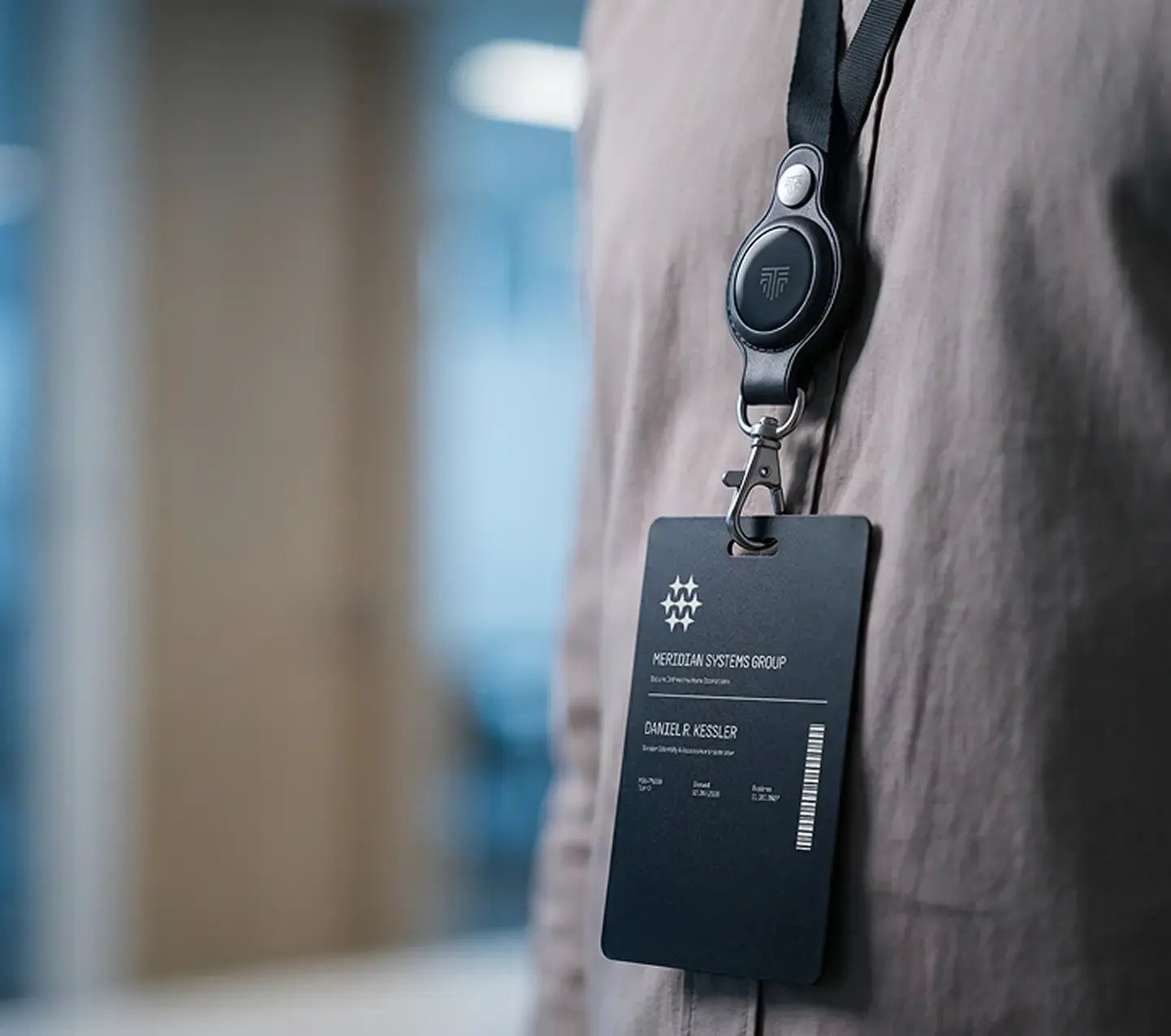
A person wearing a TokenCore™ Node in its lanyard holder, with an ID badge
Sign-in request

Sign in to Acme

  • Password Not needed
  • Device TokenCore™ Node in range
  • Fingerprint Matched on the device
  • FIDO2 signature Bound to this site

Access granted to the verified human

TokenCore™ at a Glance

  • Under 2 Seconds

    To sign in with one touch. No password, no code to type.

  • Under 90 Seconds

    To enroll a new user, fingerprint included.

  • Nothing to Remember

    No passwords, codes or PINs. The fingerprint is the key.

The Problem

Logins Prove a Password or Device, Not a Person

Attackers don't need to break in when they can log in. A stolen or misused login is the easiest way through.

Passwords and Codes Get Stolen

Phishing pages capture passwords and one-time codes, then replay them in real time.

Phones Approve for Whoever Holds Them

Push prompts get approved by mistake or under pressure. That's MFA fatigue.

Device Biometrics Fall Back to a PIN

Face ID and Windows Hello unlock the device, but anyone who knows the PIN gets past them. And the device isn't tied to one person.

Definition

What Human-Bound Verification Means

Human-bound biometric verification means a login is only approved when the enrolled person's fingerprint matches on a dedicated device that belongs to them.

The device must be present, the fingerprint must match, and a FIDO2 credential then signs the login for that specific website.

Biometric identity verification (a selfie and an ID check at onboarding) confirms who someone is once, not at every login. Compare the biometric authentication methods.

Verification log

Who was proven, and when

Event ID + selfie check TokenCore™ fingerprint
Account setup Day 1
Verified
Enrolled
Email sign-in Day 30
Not checked
Matched
Production server Day 31
Not checked
Matched
Wire approval Day 45
Not checked
Matched

Proven once, or proven at every login

How It Works

Three things have to be true before access is granted.

  1. Device Is Present.

    The TokenCore™ device has to be with the user: over Bluetooth 5.4 within about 3 ft, an NFC tap or USB-C. A remote attacker can't approve a login from somewhere else.

  2. Fingerprint Matches.

    The match happens on the device, inside a tamper-resistant chip certified to protect keys and biometric data. There's no PIN fallback: if the fingerprint doesn't match, nothing happens.

  3. Login Is Signed.

    A FIDO2 credential signs the login, and it only works on the genuine website, so a fake site gets nothing it can reuse. Your fingerprint and keys never leave the device.


Industries and Use Cases

Where It's Used

  • Works with what you have

    Okta, Microsoft Entra, Ping, Duo and CyberArk, as a FIDO2 security key, with no drivers or middleware. See what TokenCore™ works with.

  • Start where risk is highest

    Admins and finance approvers first, then everyone else.

  • Fast to roll out

    Under 90 seconds to enroll each user, and 30 days from pilot to rollout.

Teams

For Business Teams

Start with a pilot for your highest-risk users, then roll out to everyone else. Price per unit falls as the number rises, and our team prices larger orders.

Individuals

For Individuals

Phishing emails target personal accounts too. Add a TokenCore™ key to your Google, Microsoft, Apple ID, bank and crypto accounts that support security keys or passkeys. Buy direct, with next-business-day US shipping.

FAQs

Frequently Asked Questions

Where is my fingerprint stored?

Only on the TokenCore™ device, inside its secure element. It's never sent to us, to your employer or to the cloud, and it never leaves the hardware.

Can someone else use my device?

No. Only the enrolled fingerprint activates it, and there's no PIN or password to fall back on. If the fingerprint doesn't match, the device signs nothing.

What if I lose it?

It's useless without your fingerprint. Business users ask IT to revoke it in the identity provider. Individuals remove it from their accounts and enroll a replacement.

Is this the same as Face ID or Windows Hello?

No. Face ID and Windows Hello unlock a phone or laptop and can fall back to a PIN. TokenCore™ is a dedicated device for one person, with no fallback.

Does it work with Okta and Microsoft Entra?

Yes. TokenCore™ registers as a FIDO2 security key in Okta and Microsoft Entra, and in Ping and Duo. See what TokenCore™ works with.

What is the most secure biometric authentication system?

One that matches the fingerprint on dedicated hardware, keeps the keys on that hardware and has no PIN fallback. TokenCore™ does all three, with FIDO2 phishing resistance on top.

Get Started

Make Identity Absolute

Biometric verification for teams and individuals

See how TokenCore™ fits your identity stack, or buy a device for your own accounts.