Fingerprint Sign-In

Passwordless Authentication

Passwordless authentication solutions should remove more than the password. With TokenCore™, you sign in with your fingerprint on a dedicated device: no password to remember, no code to type and no PIN to fall back on. Your fingerprint never leaves the device, and is never stored nor can be extracted by Token (or anyone). 

login.acme.com

Sign in to Acme

Emaildana@acme.com
Sign in with your security key
Fingerprint sign-in

Touch to sign in

  • Password None to type
  • Fingerprint Matched on the device
  • FIDO2 passkey Signed for this site
  • PIN fallback None

Signed in under 2 seconds. No password, no PIN.
TokenCore™ at a Glance

  • Under 2 Seconds

    To sign in with one touch of your fingerprint.

  • Under 90 Seconds

    To enroll a new user, fingerprint included.

  • Zero Passwords

    And no codes or PINs to remember or type.

Definition

What Passwordless Authentication Is

Passwordless authentication lets you sign in without typing a password, using something you have and something you are.

FIDO2 does this with a key pair: the private key stays on your device and the website only holds the public key, so there's nothing to steal from the server. TokenCore™ keeps these hardware passkeys on a dedicated device that only your fingerprint unlocks.

The website Public key No password stored
Your TokenCore™ Private key Unlocked by your fingerprint

Nothing to steal from the server

The Evolution of Authentication

How Sign-In Has Changed

Each generation fixed the last one's weakness and left a new gap. Here's what each one actually proves.

TokenCore™

Something you possess and only you can activate.

What It Proves

The enrolled human is present. Their fingerprint is matched on dedicated hardware before a hardware-bound FIDO2 credential signs.

The Gap It Closes

No PIN fallback. Nothing to sync. No delegation.

  1. Passwords: Something you know. What it proves: Someone knows the secret. The gap it left: Anything known can be shared, guessed, reused, or phished.
  2. Legacy MFA: Something else you receive. What it proves: Someone received a code or a push notification. The gap it left: Codes get intercepted. Push prompts get approved by whoever is holding the phone.
  3. Modern MFA: Something on your phone. What it proves: An enrolled app approved the request. The gap it left: Real-time phishing relays the approval. The phone proves the device, not the person holding it.
  4. Passkeys: Something you possess. What it proves: A cryptographic credential, bound to the real site. Phishing-resistant by design. The gap it left: Synced passkeys travel between devices. The credential proves possession, not the person.
  5. Biometric Authentication: Something you are, on a shared device. What it proves: A face or fingerprint unlocked the phone or laptop. The gap it left: A PIN fallback sits behind the biometric, and the device isn't bound to one human.
  6. TokenCore™: Something you possess and only you can activate. What it proves: The enrolled human is present. Their fingerprint is matched on dedicated hardware before a hardware-bound FIDO2 credential signs. The gap it closes: No PIN fallback. Nothing to sync. No delegation.

Methods Compared

Passwordless Methods Compared

Every passwordless method removes the password. Most leave a weak spot behind.

Magic Link / Email Code Anyone with access to the inbox can sign in.
SMS Code Codes can be intercepted, relayed or SIM-swapped.
Authenticator App Push Prompts get approved under pressure (MFA fatigue).
Windows Hello / Face ID Falls back to a PIN, on a device that isn't tied to one person.
Synced Passkey Syncs to other devices and proves the device, not the person.

Every method removes the password. Only TokenCore™ also removes the fallback.

No Fallback

Why No PIN Fallback Matters

Most passwordless setups still keep a PIN behind the biometric. If someone learns the PIN, the fingerprint or face check no longer matters.

TokenCore™ has no PIN or password fallback. If the enrolled fingerprint doesn't match, nothing happens.

Setup

How It Works

Three steps, then you're passwordless. The setup guide walks you through each one.

1. Download the App

Get the Token App for iOS, Android, Windows or macOS.

2. Enroll Your Fingerprint

Enroll it on your TokenCore™ device in under 90 seconds.

3. Register and Sign In

Add it as a security key or a hardware passkey at work or on your personal accounts. Sign-in then takes under 2 seconds.

Shared Workstations

Passwordless on Shared Computers

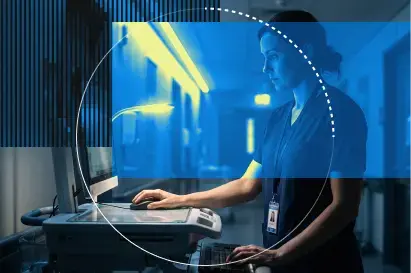
On clinical terminals, trading desks and factory workstations, people often share passwords to save time.

With TokenCore™, each person signs in with their own fingerprint device, so every session is tied to one named person.

Trader signing in at a multi-monitor trading desk by pressing a fingerprint on a TokenCore™ Node security key worn on a lanyard
Shared workstation Ward 4 terminal
  • 07:02 A. Patel
  • 11:40 J. Reyes
  • 15:18 M. Okafor
Shared password None
  • Works with what you have

    Okta, Microsoft Entra, Ping, Duo and CyberArk, as a FIDO2 security key, with no drivers or middleware. See what TokenCore™ works with.

  • Start where risk is highest

    Admins and finance approvers first, then everyone else.

  • Fast to roll out

    Under 90 seconds to enroll each user, and 30 days from pilot to rollout.

Teams

For Business Teams

Start with a pilot for your highest-risk users, then roll out to everyone else. Price per unit falls as the number rises, and our team prices larger orders.

Individuals

For Individuals

Phishing emails target personal accounts too. Add a TokenCore™ key to your Google, Microsoft, Apple ID, bank and crypto accounts that support security keys or passkeys. Buy direct, with next-business-day US shipping.

Industries

Passwordless Authentication by Industry

FAQs

Frequently Asked Questions

Is passwordless more secure than MFA?

Phishing-resistant passwordless is. With no password or code to steal, there's nothing for a fake site to capture, and a FIDO2 passkey only signs in on the real website.

What's the difference between passwordless and passkeys?

Passwordless is the goal, and passkeys are one way to get there. TokenCore™ stores passkeys on a dedicated device that only your fingerprint unlocks, so they never sync to other devices.

What if I lose my device?

It can't be used without your fingerprint. Revoke it in your identity provider (your IT team does this) or in your account settings, then enroll a replacement device.

Can it replace Microsoft Authenticator passwordless sign-in?

Yes, for users who need a phishing-resistant option without a phone. TokenCore™ registers in Microsoft Entra as a FIDO2 security key, and both methods can run side by side.

Get Started

Make Identity Absolute

Get started with TokenCore™

Go passwordless without a PIN fallback, for your team or your own accounts.